Appearance
Block domain
Domain blocking rules are no longer a free JSON field on each node. They're maintained as named cases on the Additional node config page, and each node then picks which case to use from a dropdown on its edit page. This lets different nodes use different blocking rules instead of one shared list for the whole site.
Open Additional Node Config and add a case to
Domain Blocking Settings, e.g.:json[ { "id": "1", "name": "Block social media", "domain": [ "youtube.com", "google.com", "regexp:\\.goo.*\\.com$" ] } ]Only domain names and regular expressions are supported —
geosite/geoipare not.On the node's edit page, select the case from the Domain Blocking Case dropdown and save the node.
Domain blocking is supported on the XrayR, v2node, unified, and soga backends. It's delivered together with the node's normal config fetch, so no node restart is required after switching cases. When a user hits a blocked domain, the backend reports the number of hits but not which domain was accessed.
Protocol blocking (http, tls, quic, bittorrent) works the same way via the Protocol Blocking Case dropdown, using the Protocol Blocking Settings field on the same page — except it isn't supported on soga.
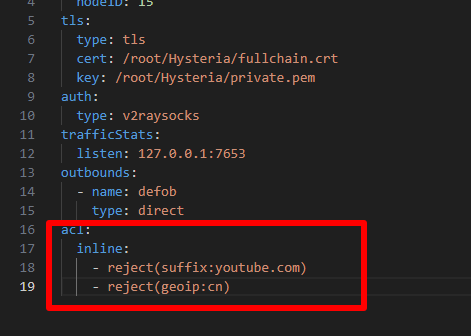
For Hysteria2, blocking is not driven by these cases; you need to set it in server.yaml manually